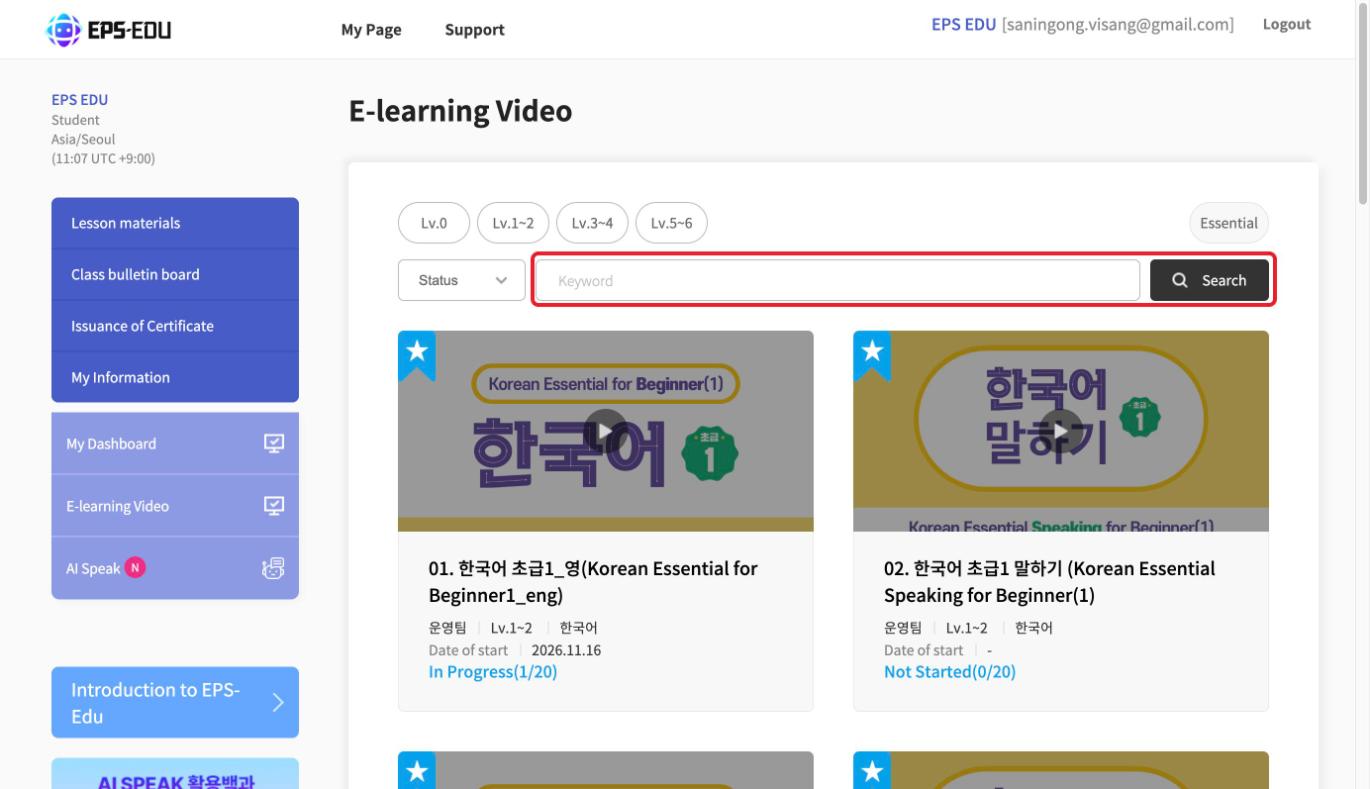
E-learning Video
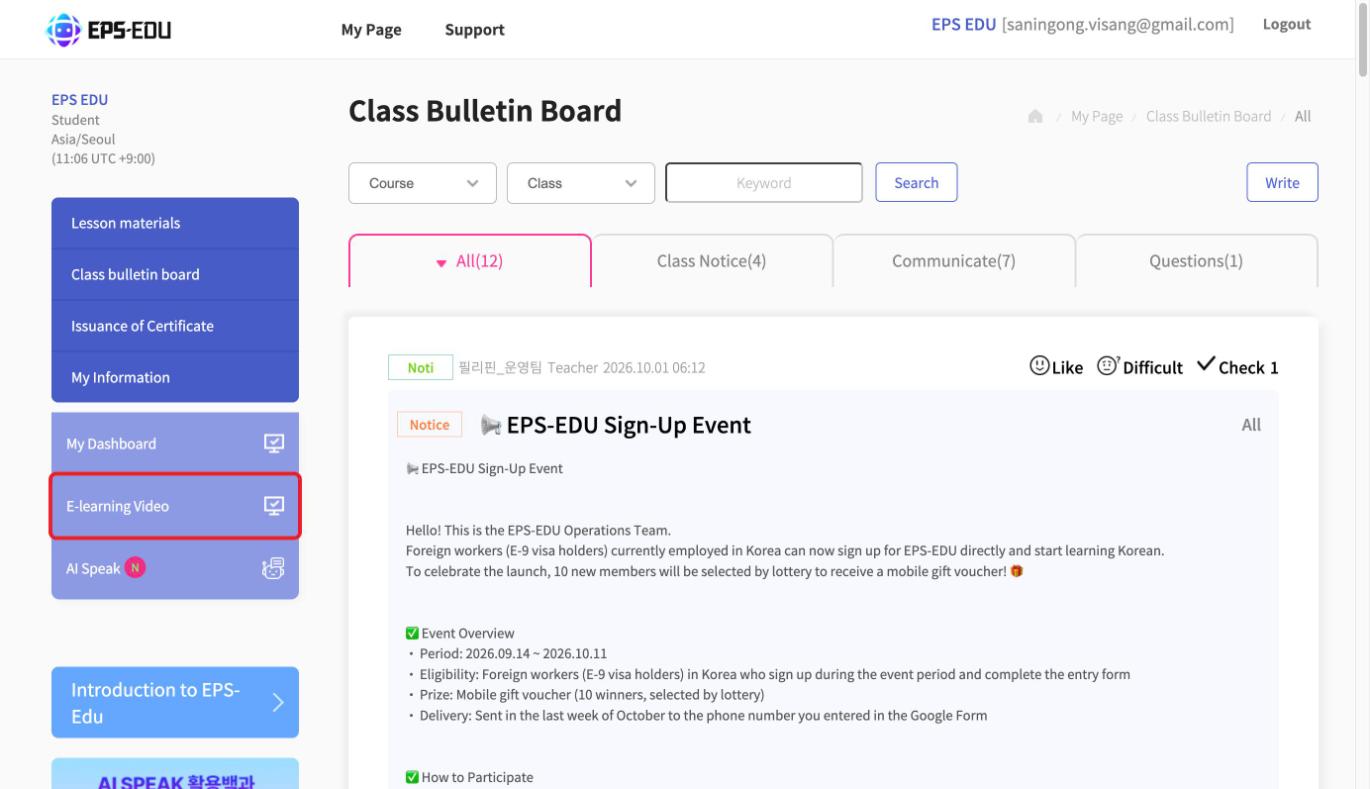
Press [My Page] > [E-learning Video].
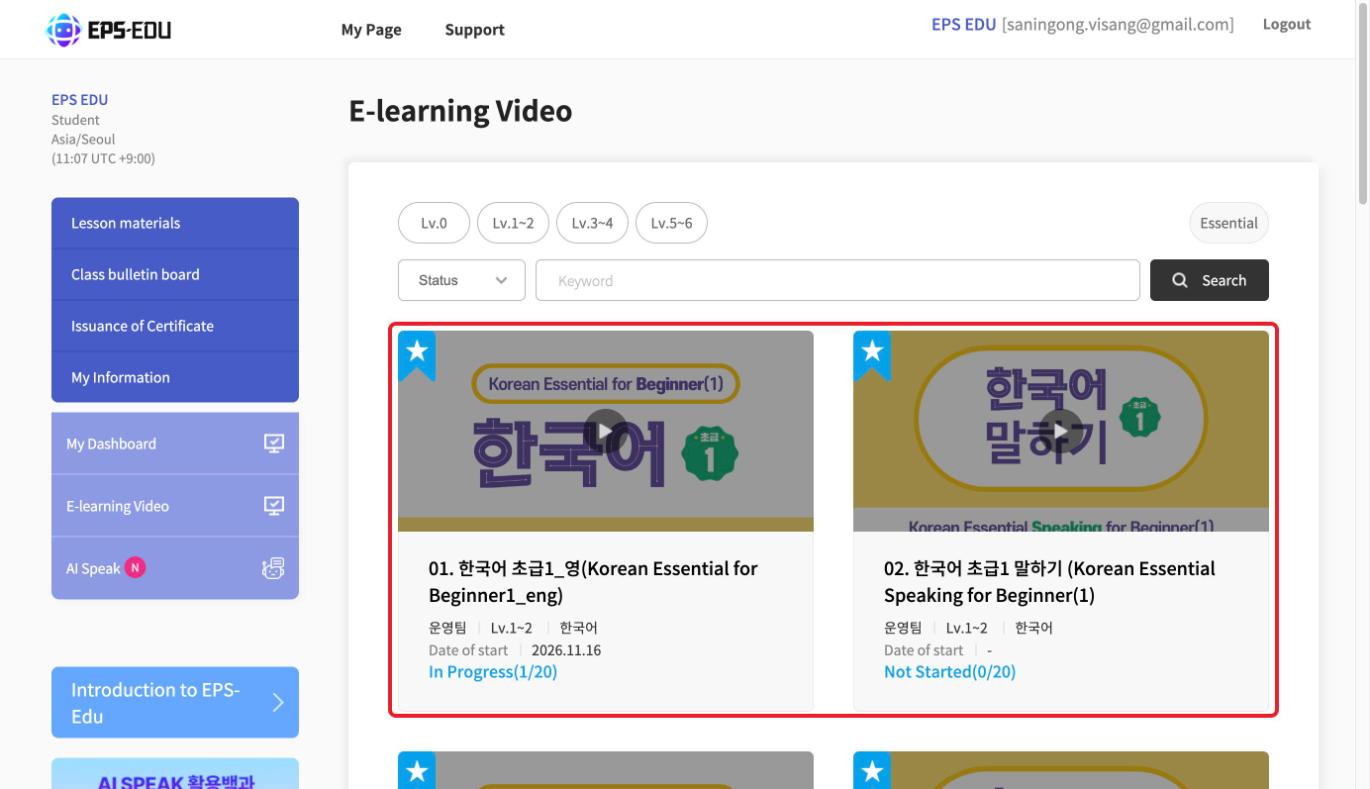
New e-learning lessons are uploaded regularly, even those you are not required to take.
Students who want to study more can freely choose the lessons they want to take.
Press [Lv.0], [Lv.1~2], [Lv.3~4], or [Lv.5~6] to see lessons that match your level.
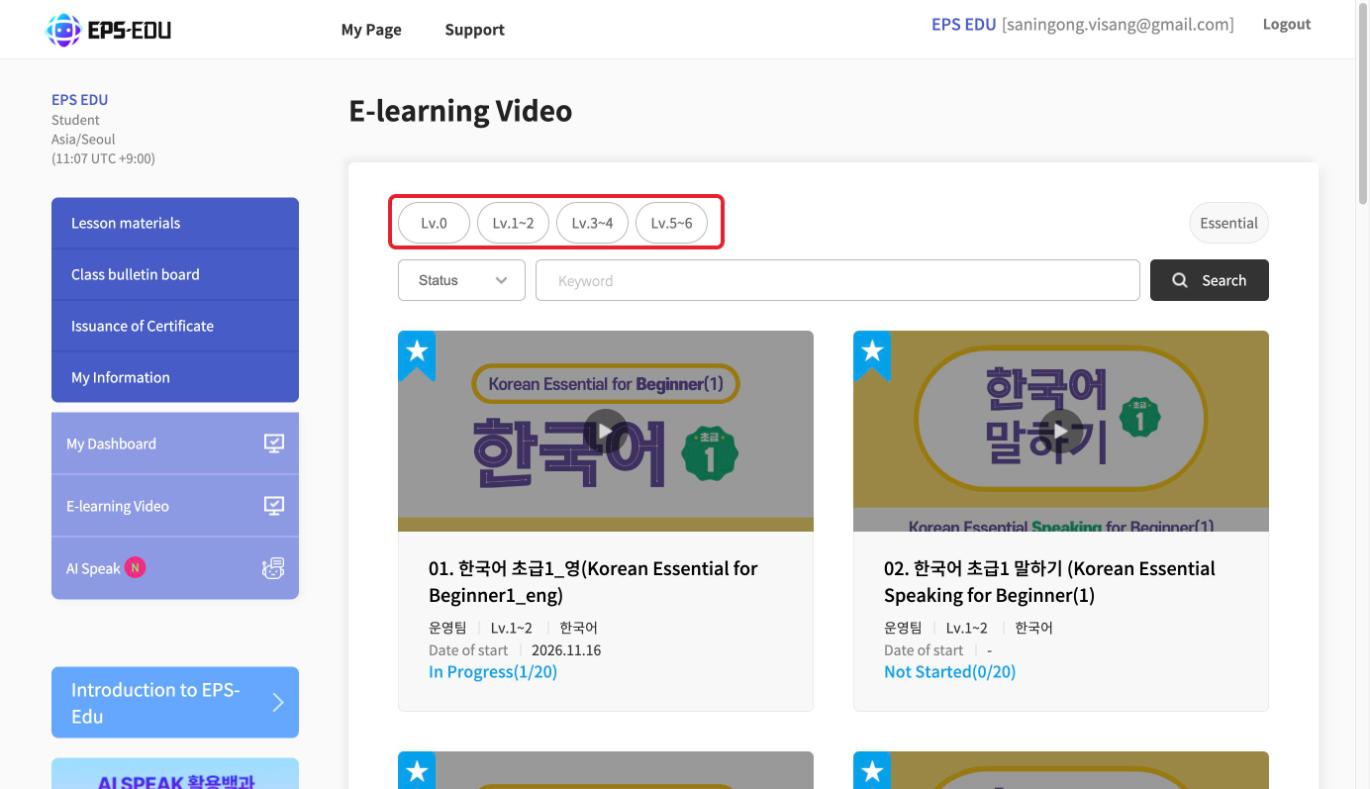
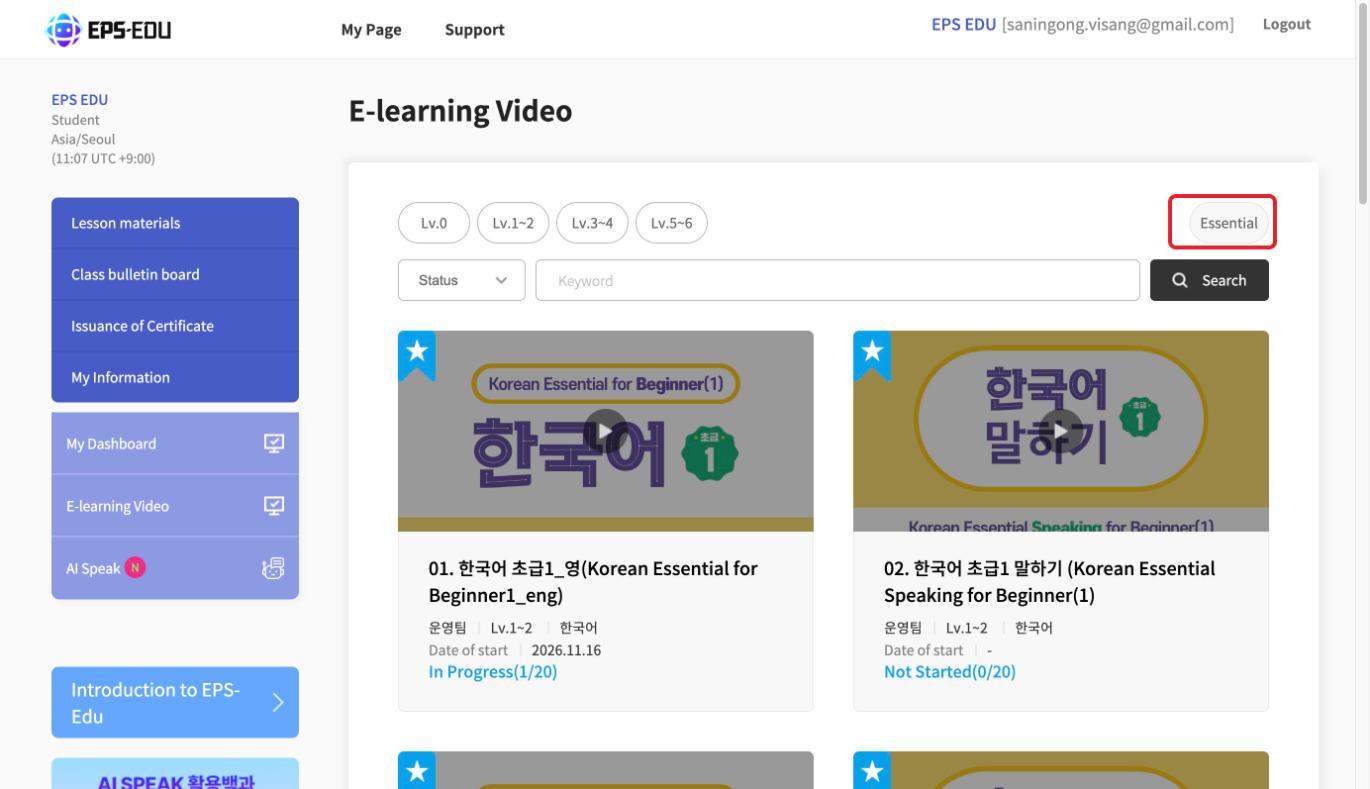
Press [Essential] to see the lessons you must take to complete the course.
Select [Status] to see lessons by study status.
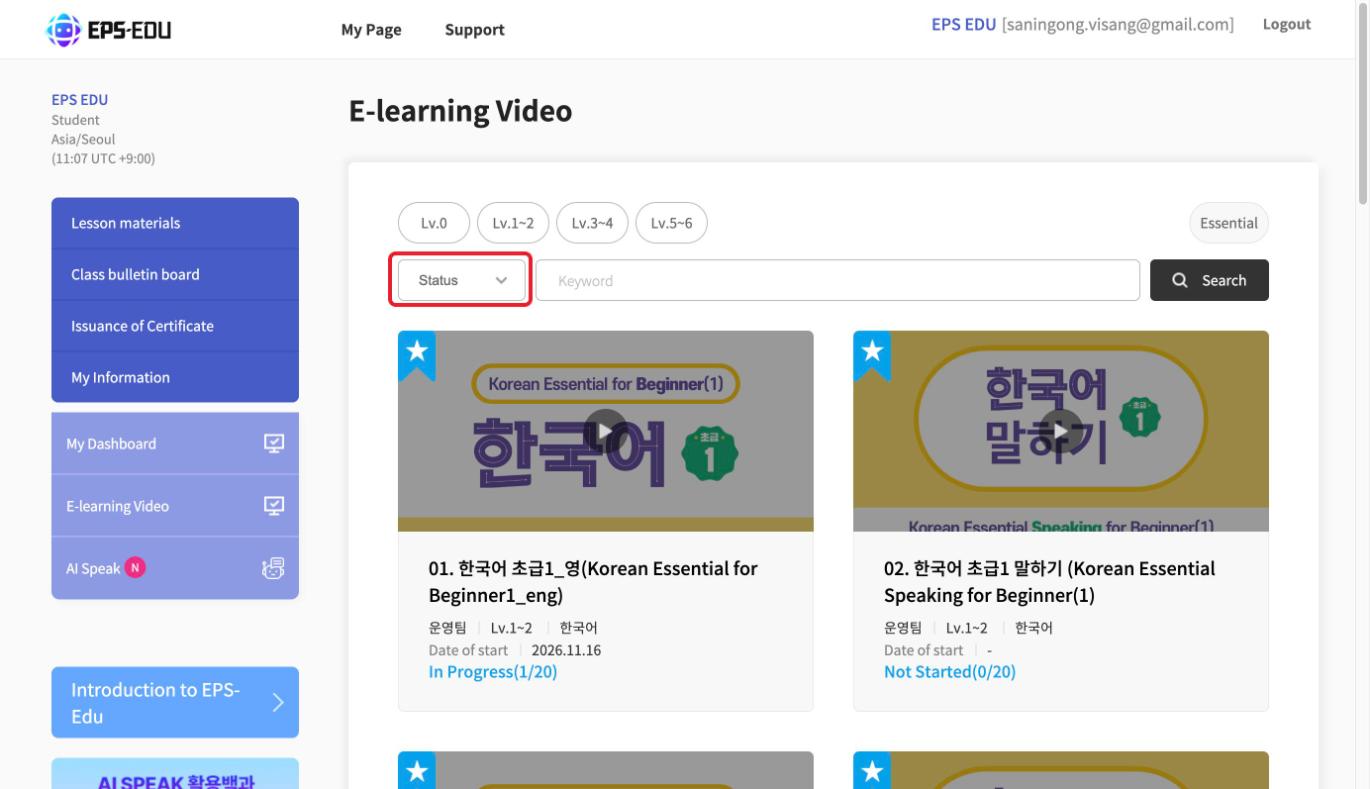
Write a lesson name in [Keyword] and press [Search] to find the lesson you want to take.